ArcV2_OT — OpsTool
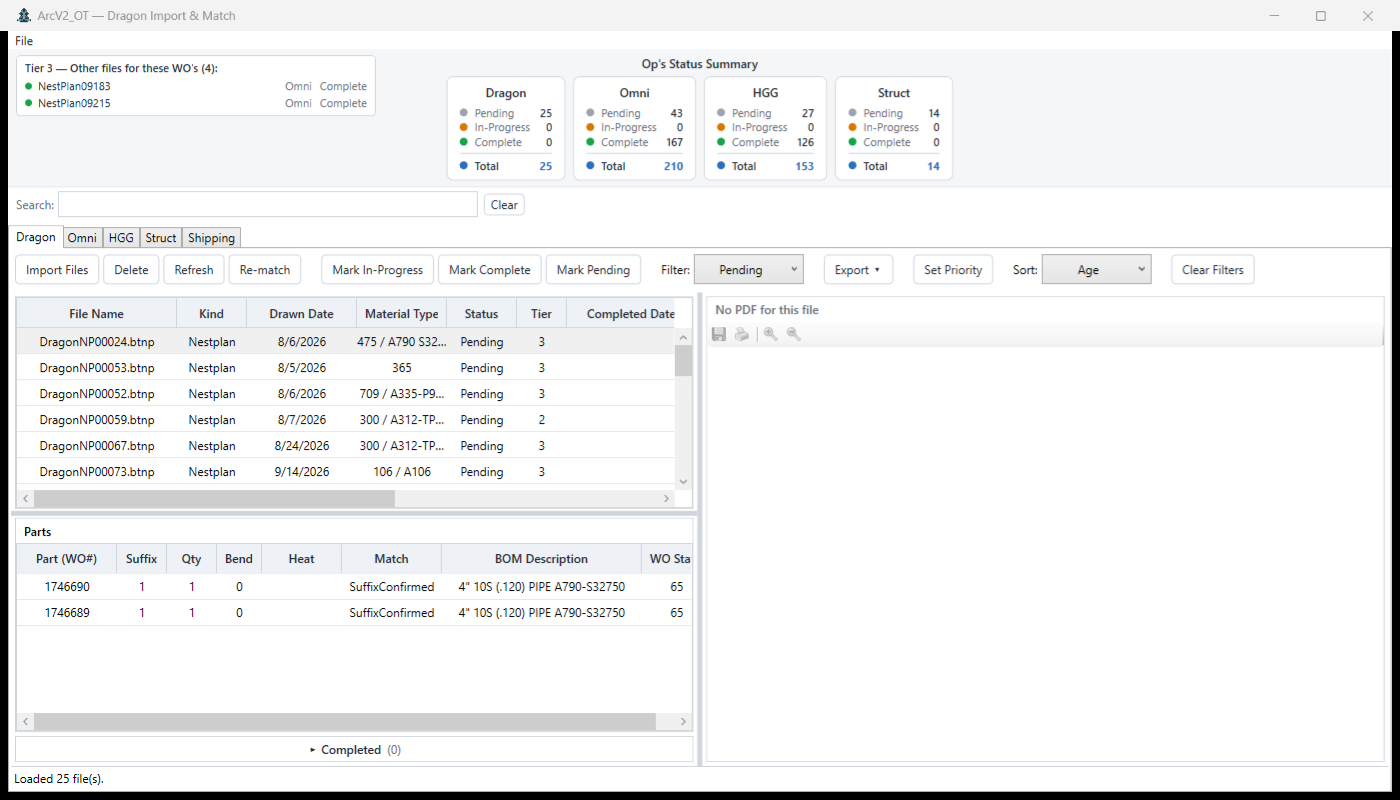
The shop-floor pipeline: imports cutting-machine artifacts from Dragon, OmniWin, HGG tube scans, and structural straight-cuts, matches every part back to its BOM line, and tracks per-line work status.
What it does
Every cutting machine leaves a trail of files behind it — Dragon nest plans, OmniWin outputs, HGG tube scans, structural straight-cuts. OpsTool ingests all four, parses each into parts, and matches every part back to the BOM line it belongs to using the WoLineKey (work order minus the .0, plus the BOM line number).
Once matched, each line carries a work status — Pending → Cutting → Complete — that ArcV2_CC and the Digital Cubby read back from the shared database within a minute. It is the write-side of floor progress for the whole suite.
The five tabs
Every tab shares the same toolbar vocabulary: Import Files, Re-match, and the three status actions — Mark In-Progress, Mark Complete, Mark Pending — plus filtering, sorting, priority, and export.
| Tab | What it does |
|---|---|
| Dragon | Imports Dragon nest-plan files, matches parts to BOM lines, and tracks per-file status. |
| Omni | OmniWin import — the same match-and-track flow for OmniWin outputs. |
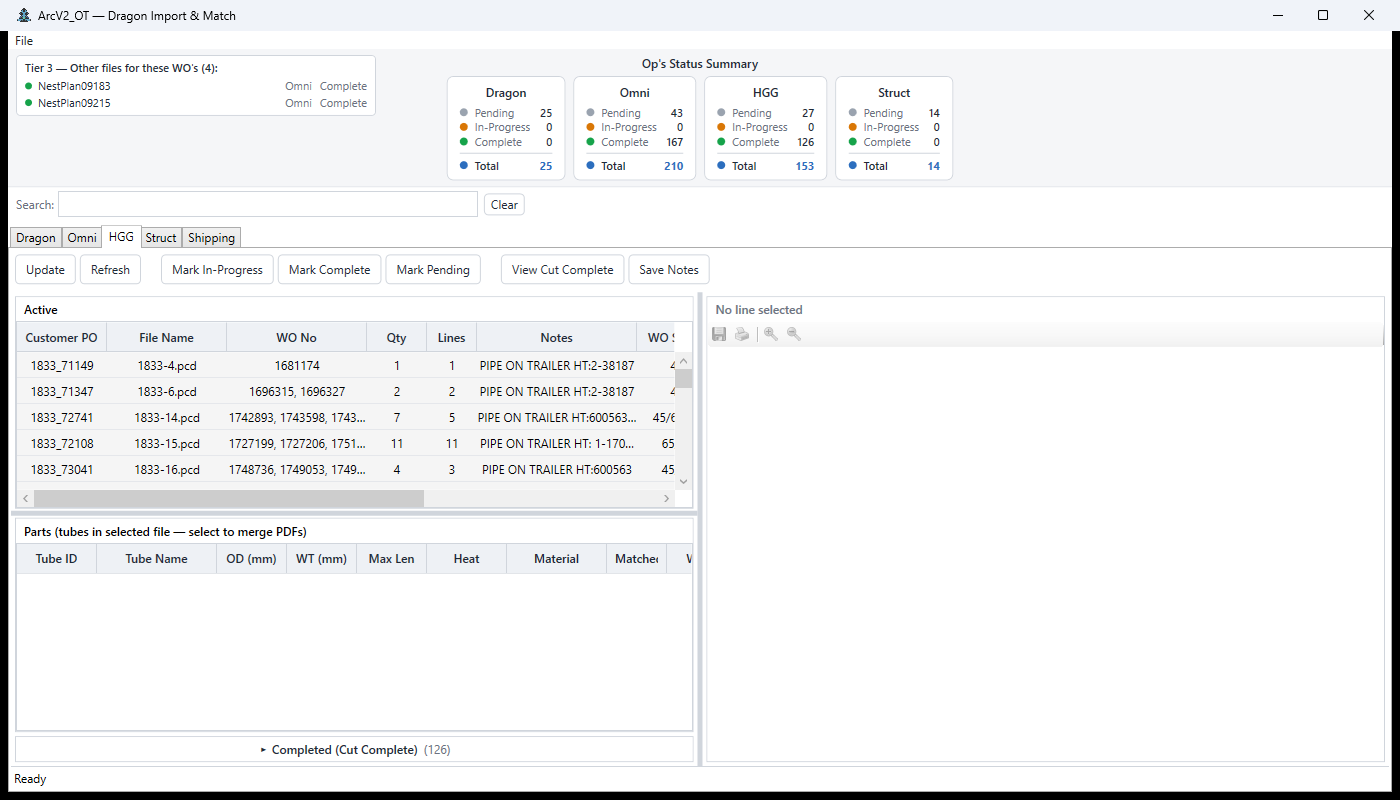
| HGG | HGG tube-scan import with tube metadata (OD, WT, heat, material). |
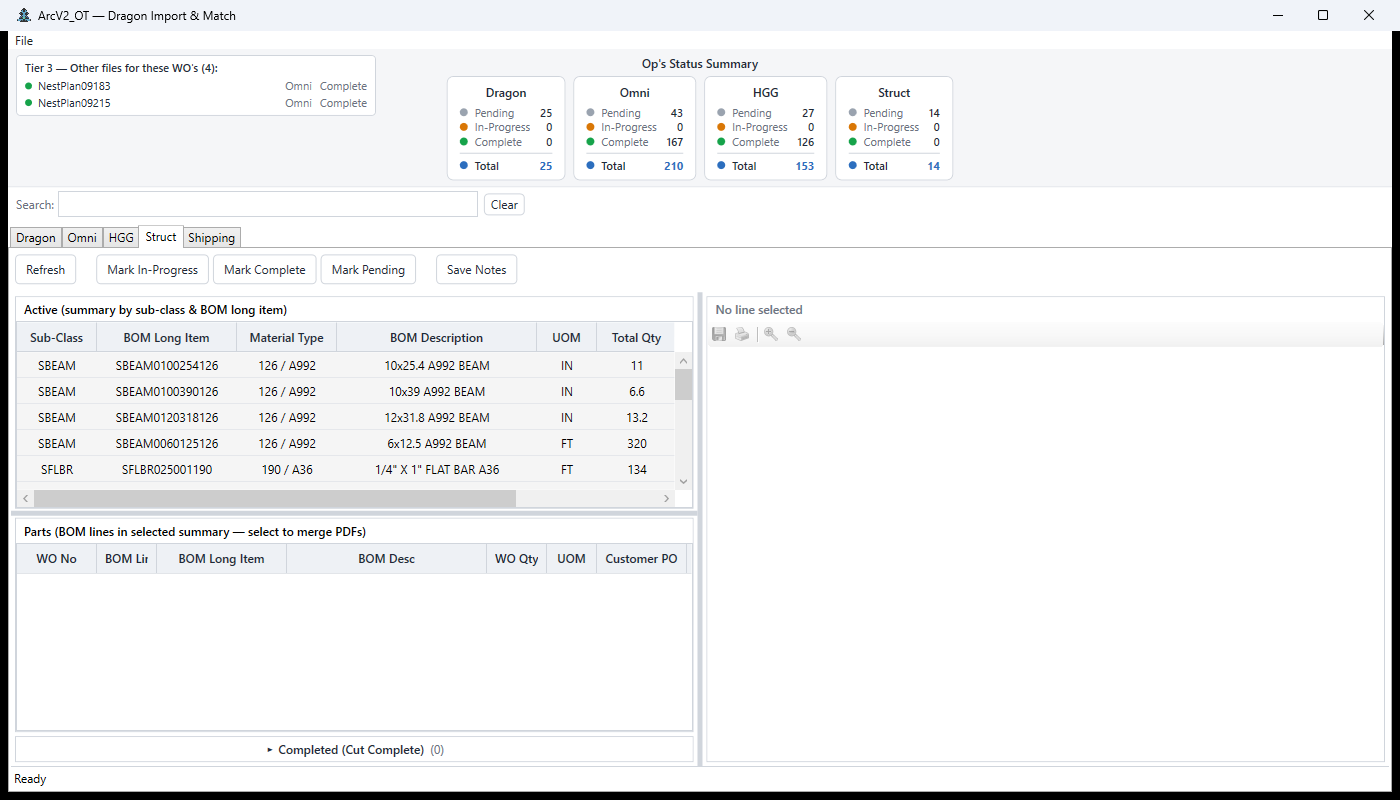
| Struct | Structural straight-cut import for plate and linear stock. |
| Shipping | Packing-list generation from scan to heats pull to workbook. |
Imports
Each machine's artifacts arrive in its own format. The import panels normalize them into one matched view:
How it fits the suite
OpsTool never talks to the other apps directly. It commits to the shared arcv2.db on the network share and polls PRAGMA data_version every 45 seconds, so status changes land in ArcV2_CC's grids and the Digital Cubby's matrix without any IPC, sockets, or message bus.
The floor knows things the ERP doesn't: which parts are actually cut, which are still on the machine, which need a re-run. OpsTool is where that knowledge gets recorded — once — and every other app reads it from the same place.
Engineering notes
- Match on WoLineKey — the same join key ArcV2_CC uses, so a part imported here is the same part CC classifies.
- Status writes are audited — every transition produces a history entry, so "why is this Complete?" always has an answer.
- Re-match is safe — re-running the matcher after a late BOM refresh updates links without losing floor status.
- ClickOnce deployment — the shop updates itself from the network share, same as the rest of the suite.
Origin
OpsTool grew out of the ArcV2_System phase's Ops Tool concept — file-first task creation for plate, pipe, and linear-feet work — rebuilt in WPF against the shared database when the suite became production.