ArcSuite
Four connected Windows apps filling the space between JDE's milestones — BOM intelligence, live cutting status, planning, and tracked printing on one shared database. Next: continuous verification of the real data, end to end.
The problem
Between "released to the floor" and "shipped", the real work lives in spreadsheets, printouts, whiteboards, and someone's memory. Which parts are actually cut? What still needs a drawing? What should the next nest be? What did we already print — and why did we print it twice?
Legacy trackers answer one piece of that each. ArcSuite answers all of it, in one place, live.
The suite
Manufacturing execution systems like JDE track the big milestones. ArcSuite covers the day-to-day work in between: pulling the BOM, deciding which machine cuts which part, knowing what the floor has actually finished, printing the right job sheets the right number of times, and planning what to cut next.
| App | Role |
|---|---|
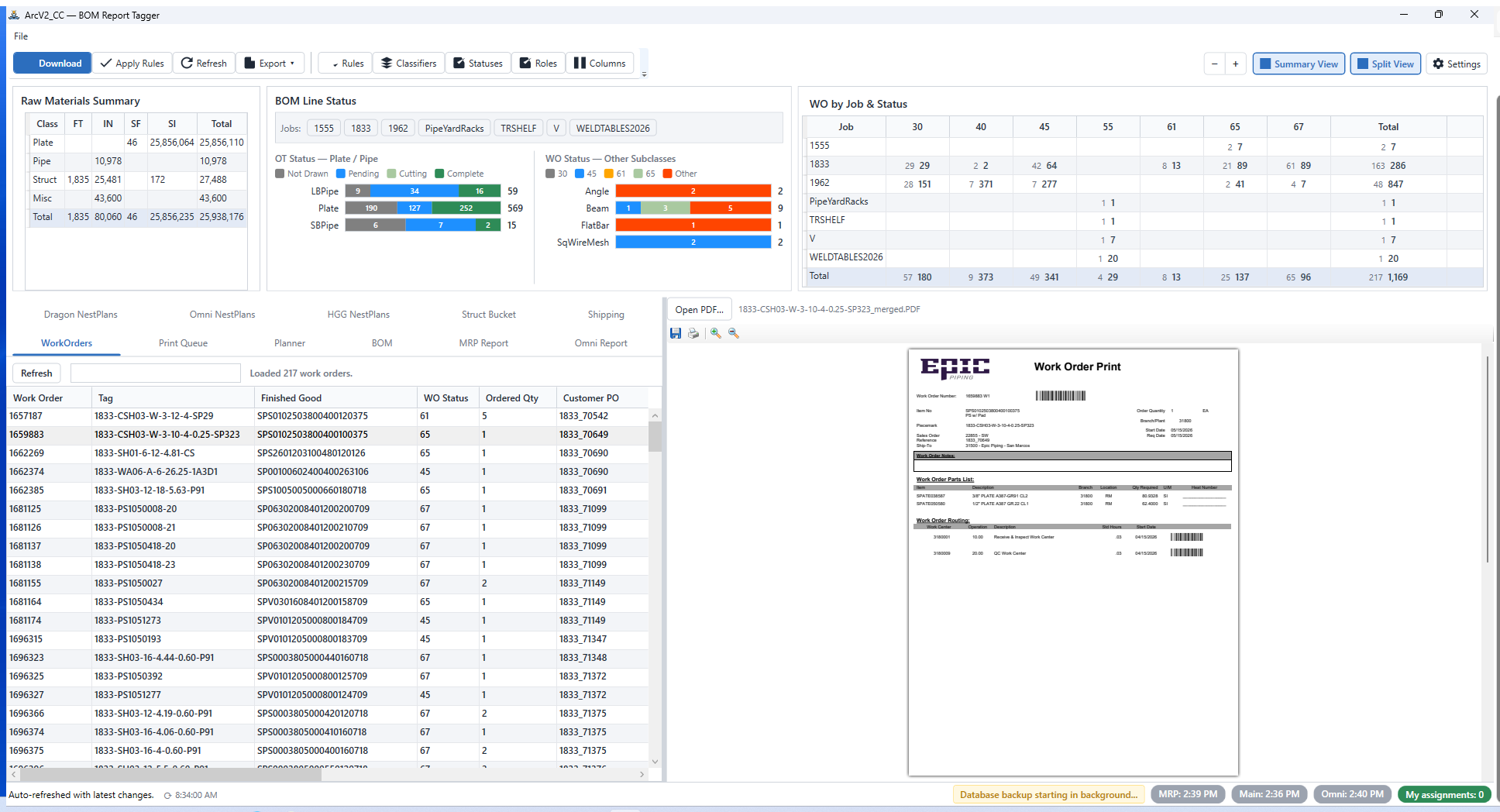
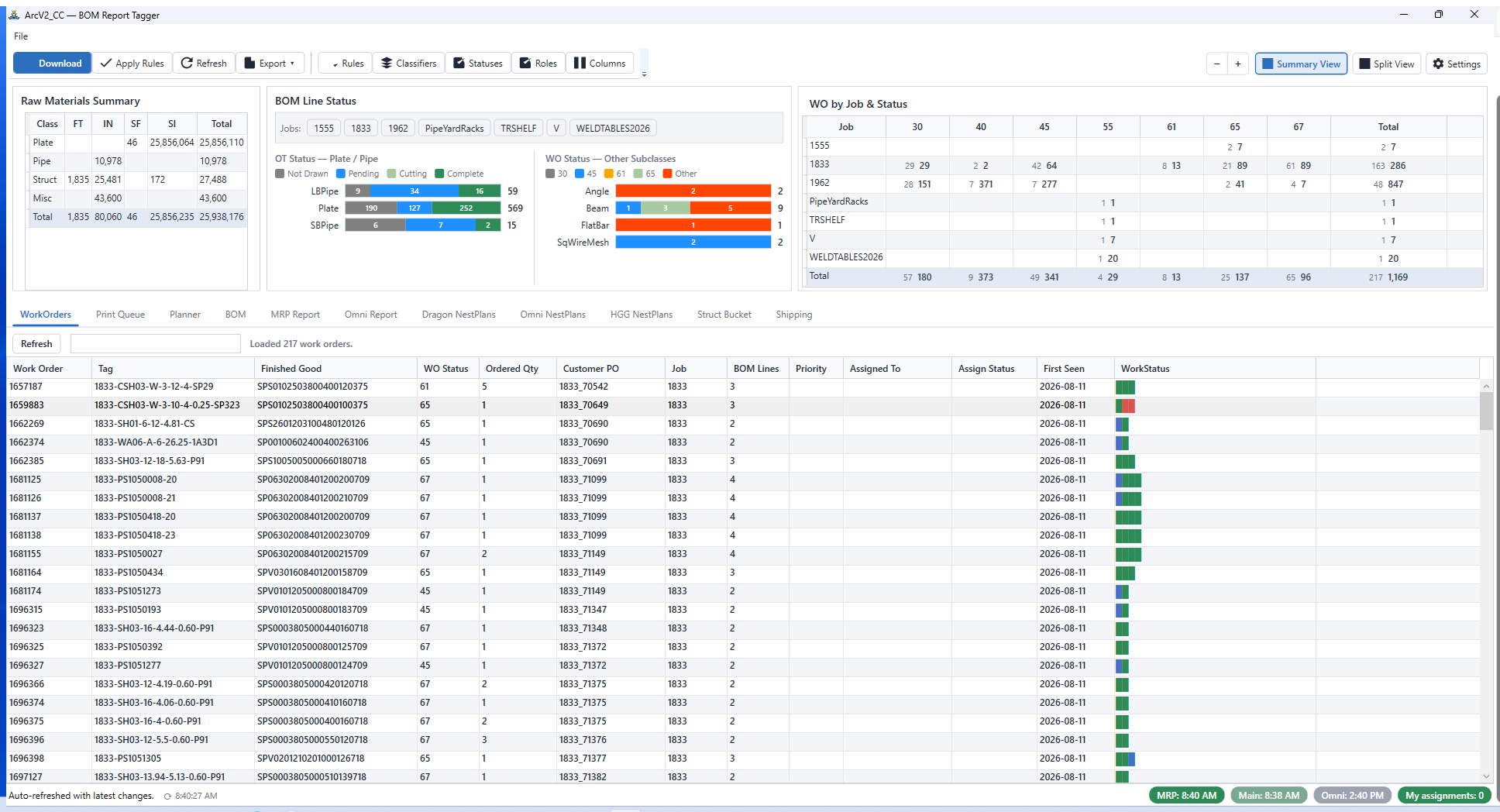
| ArcV2 Command Center | The command center. Downloads the branch BOM from SSRS, auto-classifies and tags every line with user-defined rules, manages work orders, assignments, and priorities, and provides the MRP / Omni report feeds plus the Planner, Print Queue, and Shipping views. Eleven tabs. |
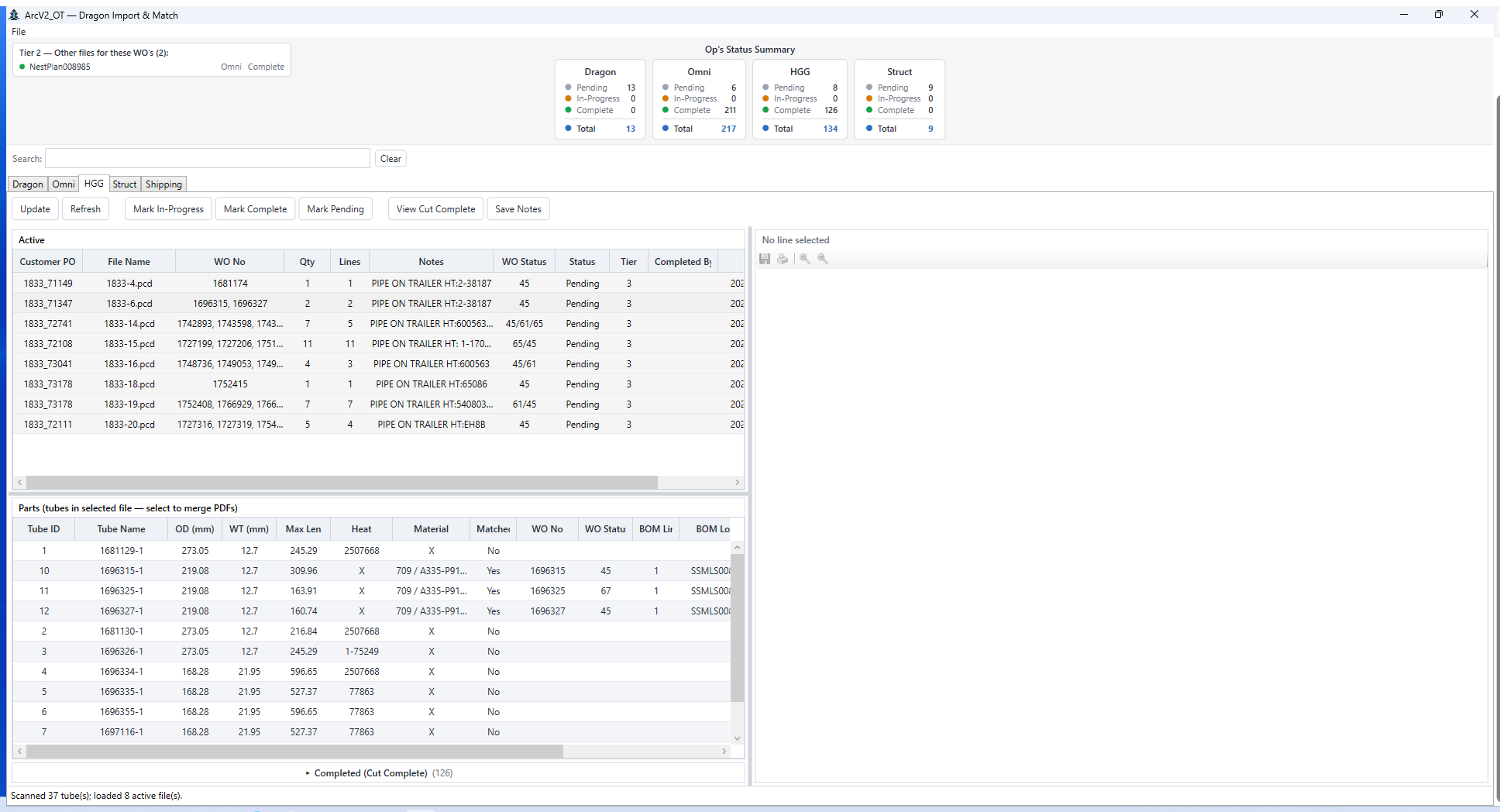
| ArcV2 Ops Tool | The shop-floor pipeline. Imports cutting-machine artifacts (Dragon, OmniWin, HGG tube scans, structural straight-cuts), matches every part back to its BOM line, and tracks per-line work status. Five tabs. |
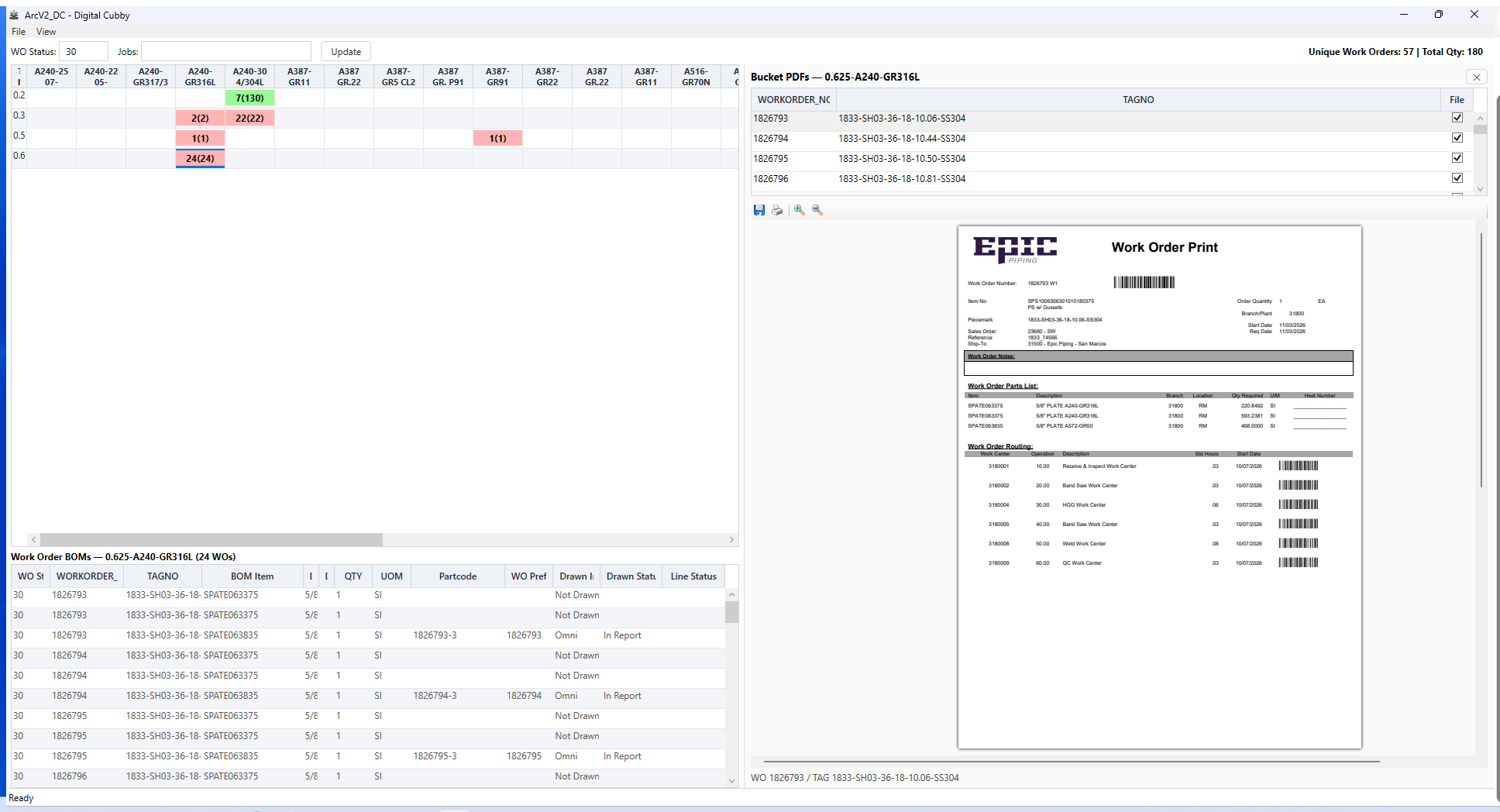
| ArcV2 Digital Cubby | The at-a-glance board. A material × thickness work-order matrix with heatmap coloring, cubby classification, drill-down detail, and job-sheet printing with traceability watermarks. |
| ArcV2 Print Manager (internal) | The one way anything in the suite prints: watermarking, merging, mandatory print confirmation, re-print reasons, and the shared print_events audit log. Referenced by all three apps. |
How the apps work together
The apps never talk to each other directly — no IPC, no sockets, no cross-references. All coordination happens through a shared SQLite database on a network share:
- arcv2.db on an SMB share is the primary channel.
- PRAGMA data_version polling lets each app notice the others' commits — CC every 30 seconds, OT every 45 — with no triggers and no messages.
- Coordination tables handle the tricky parts: an advisory write lock, distributed backup election, cross-instance report de-duplication, and the shared print audit.
- WoLineKey — work order minus the .0, plus the BOM line number — is the join key that ties machine artifacts to BOM lines across every app.
A single shared file beats a client/server service in a fabrication shop: no server to babysit, no network protocol to debug, and any machine that can reach the share can run the tools. Polling data_version keeps everything consistent within a minute without a message bus.
Feature highlights
ArcV2 Command Center (11 tabs)
The command center. Downloads the branch BOM from SSRS, auto-classifies and tags every line with user-defined rules, manages work orders, assignments, and priorities, and provides the MRP / Omni report feeds plus the Planner, Print Queue, and Shipping views. Read the full ArcV2 Command Center writeup →
ArcV2 Ops Tool (5 tabs)
- Machine imports — Dragon, Omni, HGG tube scans, and structural straight-cuts, each parsed, matched to BOM lines, and color-coded by live status.
- Unified work status — Pending → Cutting → Complete writes that CC and DC read back immediately.
- Shipping — packing-list generation from scan to heats pull to workbook.
Tracked printing
- Watermarked job sheets — page-2 strips carry machine traceability, WO/qty, and a Code39 barcode.
- Mandatory confirmation — a confirm dialog plus a re-print reason that cannot be skipped. Unconfirmed prints write nothing.
- Audit log — who printed what, when, and why they re-printed.
Screenshots
Engineering notes
A few things I'm proud of because they were genuinely hard:
- Startup performance. A sequenced startup chain with deferred tab loads took the window from roughly 95 seconds to about 13 seconds to a ready grid — on the same hardware and the same data.
- Distributed backup. A self-electing backup subsystem runs on a four-hour interval and keeps 30 restore points, electing one instance across the network via the shared lock tables.
- SQLite on SMB. journal_mode=PERSIST rather than WAL, deliberately, because WAL is not reliable across a network share.
- Security hardening. A full audit and remediation pass added SQL identifier whitelisting, SHA-256 verification of embedded PowerShell, dependency bumps, and removal of every hardcoded secret.
- Migration. Legacy V1 tools — the file tracker, the NestPlan processor, and the pipe-layer tool — were carried forward through dedicated migration tools rather than abandoned.
Where we're heading
The next phase isn't another app. It's closing the last real gap in the suite: keeping the actual data visible for the entire life of a job — from the moment it's released to the floor to the moment it ships.
The suite already knows the BOM, the work orders, the machine artifacts, and what has been cut. What it doesn't do yet is hold every one of those facts against the others continuously. That gap is where the errors live — and closing it is the whole plan.
Automated checking, on every line
Every line gets compared against itself and its neighbours as it moves through the process — partcodes, materials, thickness, length, job rules, and job instructions. A mismatch surfaces at the point it's introduced instead of at the machine, the fit-up, or the shipping dock.
- Partcodes — validated against the Item Master and the BOM, so a transposed character never becomes a cut part.
- Materials and thickness — cross-checked against the nest plan and the machine artifact, catching the substitutions that quietly cost a re-cut.
- Length — reconciled between BOM, nest, and cut artifact so dimensional drift is caught before it's welded in.
- Job rules and job instructions — the rules that decide how a job is built are applied and verified automatically, not remembered by whoever happens to be on shift.
Errors get deleted from the process instead of discovered in it — and the shop gets a view of actual work that is nearly live, and more accurate than JDE. Not a status someone typed in yesterday: the real state of the material, as it stands right now.
The floor drives the sequence
Operators tag lines as in progress, cutting, or completed right where the work happens. The system takes those tags and auto-sorts the next best plan to cut — so the answer to "what's next?" is already on screen, grounded in what the floor actually reported rather than what the schedule assumed.
The office drives the input
Office users draw and import nest plans directly into the system. As each one lands, the planner weighs date, priority, materials, and dependencies between nest plans to form a cut order — low-hanging fruit first, big wins early. More sort options come online as the model matures.
Automatic part drawing closes the loop
Finishing AutoDXFPro and AutoDXF2D removes the last manual hand-off. Once drawings generate themselves from the same data the rest of the suite already trusts, the whole lifecycle — drawing, nesting, cutting, shipping — runs on one continuous, verified record.
-
Foundation · in place
One shared record
BOM, work orders, machine artifacts, and cut status already live in one database that every app reads and writes — the substrate the rest of the plan builds on.
-
Verification · next
Every line checked against every other
Partcodes, materials, thickness, length, job rules, and job instructions compared continuously as work moves. Mismatches surface where they're introduced, not at the machine or the shipping dock.
-
Sequencing · next
A plan that reacts to the shop
Floor status tags feed an auto-sorted next-best-plan view. Imported nest plans are weighed against date, priority, materials, and inter-nest dependencies to produce a cut order — low-hanging fruit first.
-
Automation · then
Drawings that draw themselves
AutoDXFPro and AutoDXF2D complete the chain, so part drawings generate from the same verified data — no manual step between the office and the floor.
Origin and stack
ArcSuite began life as the ArcV2_System repository — a .NET-over-Avalonia command center built around an explicit JDE overlay pattern, where JDE data stays read-only and all mutable workflow state lives in a separate overlay table with a 1:1 relationship. That architecture, the rule engine refactor, and the milestone roadmap carried directly into the production WPF suite.
Before that, the document side of the suite started as The_Arc — a WinForms utility for JDE riders, BOMs, and NestPlans — which was renamed Bindr once it had its own identity. Bindr proved the PDF coordinate-mapping approach, the NestPlan viewer, and the JDE reporting rollups; the digital cubby it sketched on its roadmap became a whole app here. Those features were then rebuilt properly, on a shared database, as part of the suite.
The suite replaces a set of legacy tools in daily use — a cut-log file tracker, a NestPlan processor, a pipe-layer sorter, and a scripting-era PO tool — with one coordinated system that runs the space between "released to the floor" and "shipped".
- .NET 8 / C# / WPF — one solution per app, Windows desktop.
- SQLite via Microsoft.Data.Sqlite — a single shared database on SMB.
- PowerShell 7 embedded for the SSRS BOM download pipeline; HttpClient + Atom feeds for the report schedulers.
- PdfSharpCore / PdfiumViewer for PDF watermarking and in-app viewing.
- ClickOnce deployment for Command Center and Digital Cubby; plain .NET publish for Ops Tool.