CalBard
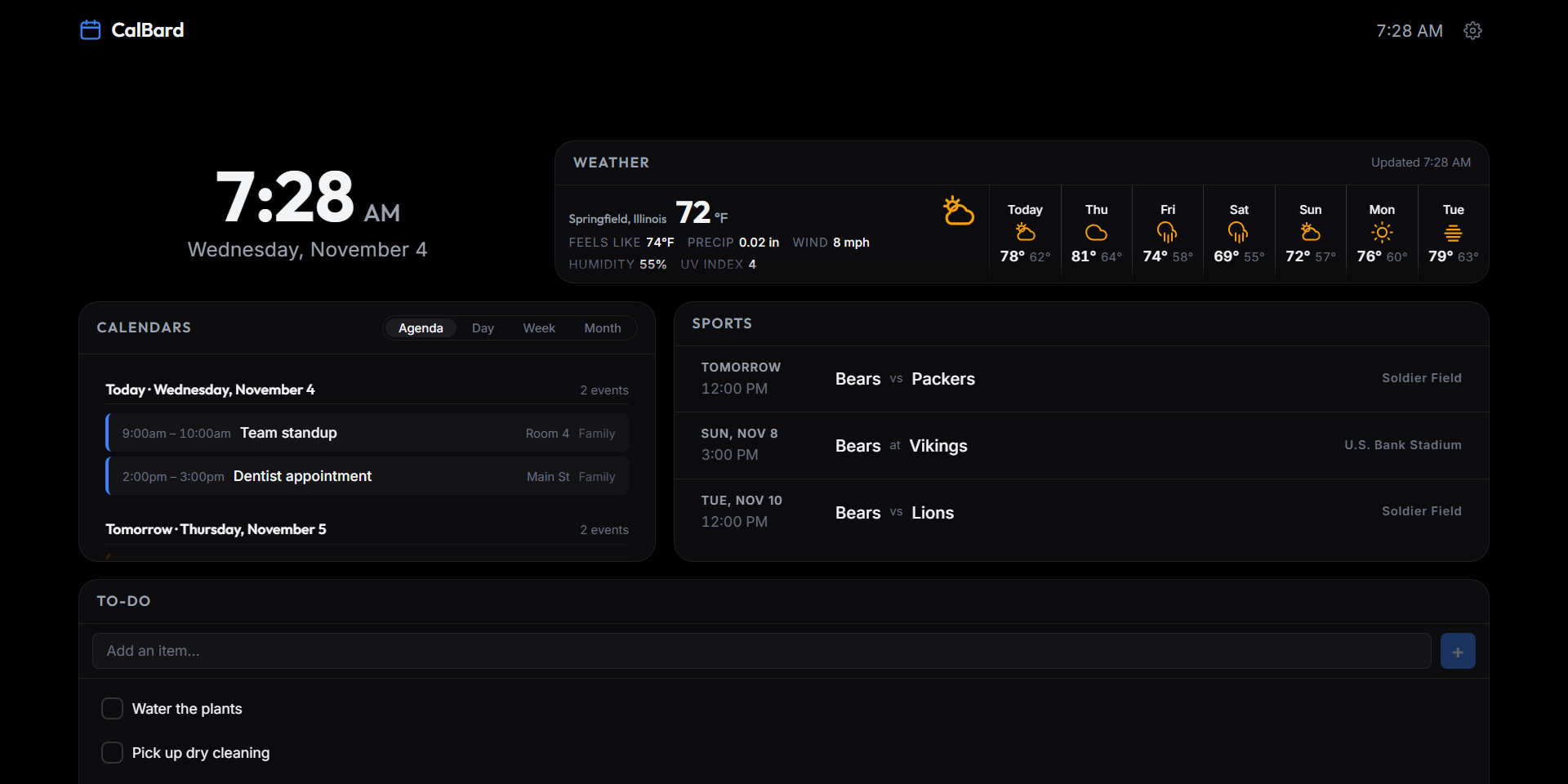
One React codebase running the household information board on a 4K TV, a Fire tablet, a phone, and the browser — weather, calendars, sports schedules, clock, and to-dos, with no server and no account.
One codebase, every screen
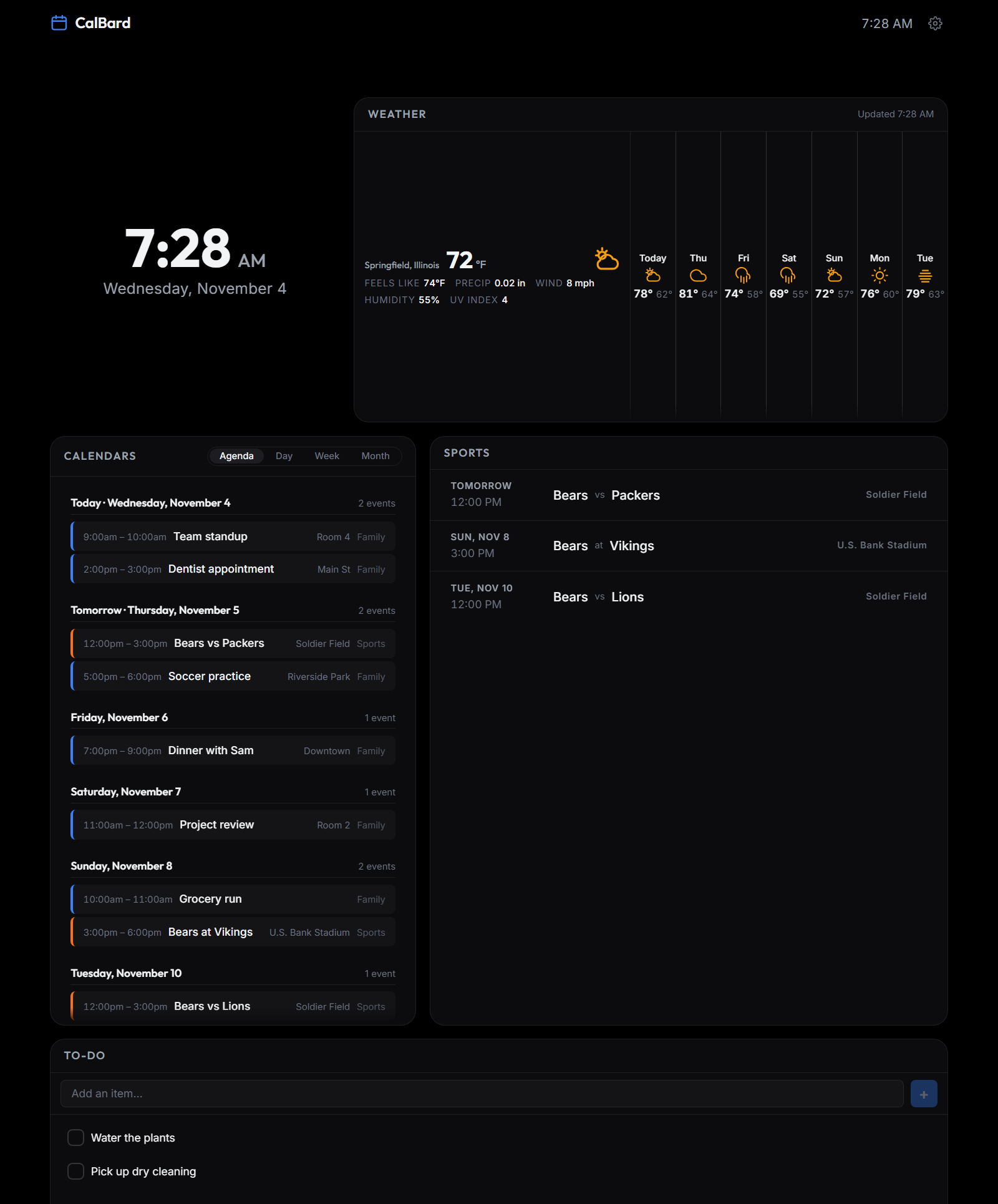
CalBard merges two earlier dashboards — Calboard, a native Kotlin/Compose TV app, and FireTablet7, a WebView-based tablet dashboard — into a single product. The same content and the same settings follow you from the living-room TV to the tablet on the kitchen counter to the phone in your pocket, with the layout tuned to each screen rather than stretched to fit.
The architecture is deliberately lopsided. The React app is the single source of truth for UI and business logic; the Android shell contributes only platform capabilities — secure storage, OAuth, background sync, and D-pad key handling — exposed through a narrow, typed bridge. On the web, a browser adapter satisfies the same bridge interface. That keeps the two builds from drifting: there is one implementation of every feature, and the shell is replaceable.
Sections you switch on
Every section can be enabled, disabled, and reordered independently. The order is shared across device classes — put weather first and it leads everywhere — while each layout decides how to arrange that order rather than what it is. Nothing is hard-coded into a screen.
| Section | Sub-modes | Notes |
|---|---|---|
| Weather | Current · 24-hour chart · 7-day forecast | Location by ZIP/postal code or coordinates, resolved to a city name; NWS severe-weather alerts surfaced inline |
| Calendars | Agenda · Day · Week · Month | Any ICS/webcal feed, several at once; a busy day can scroll, truncate, or collapse to a count |
| Sports | Schedule only | Nine sports across five groups, with favourite-team filtering; works on Android, needs a relay in the browser |
| Clock | 12h / 24h, optional seconds | Timezone aware |
| To-Do | Local checklist | On-device only |
| Weather Radar | Drill-in view | Animated precipitation — built and tested, compiled out |
Layouts built for the screen
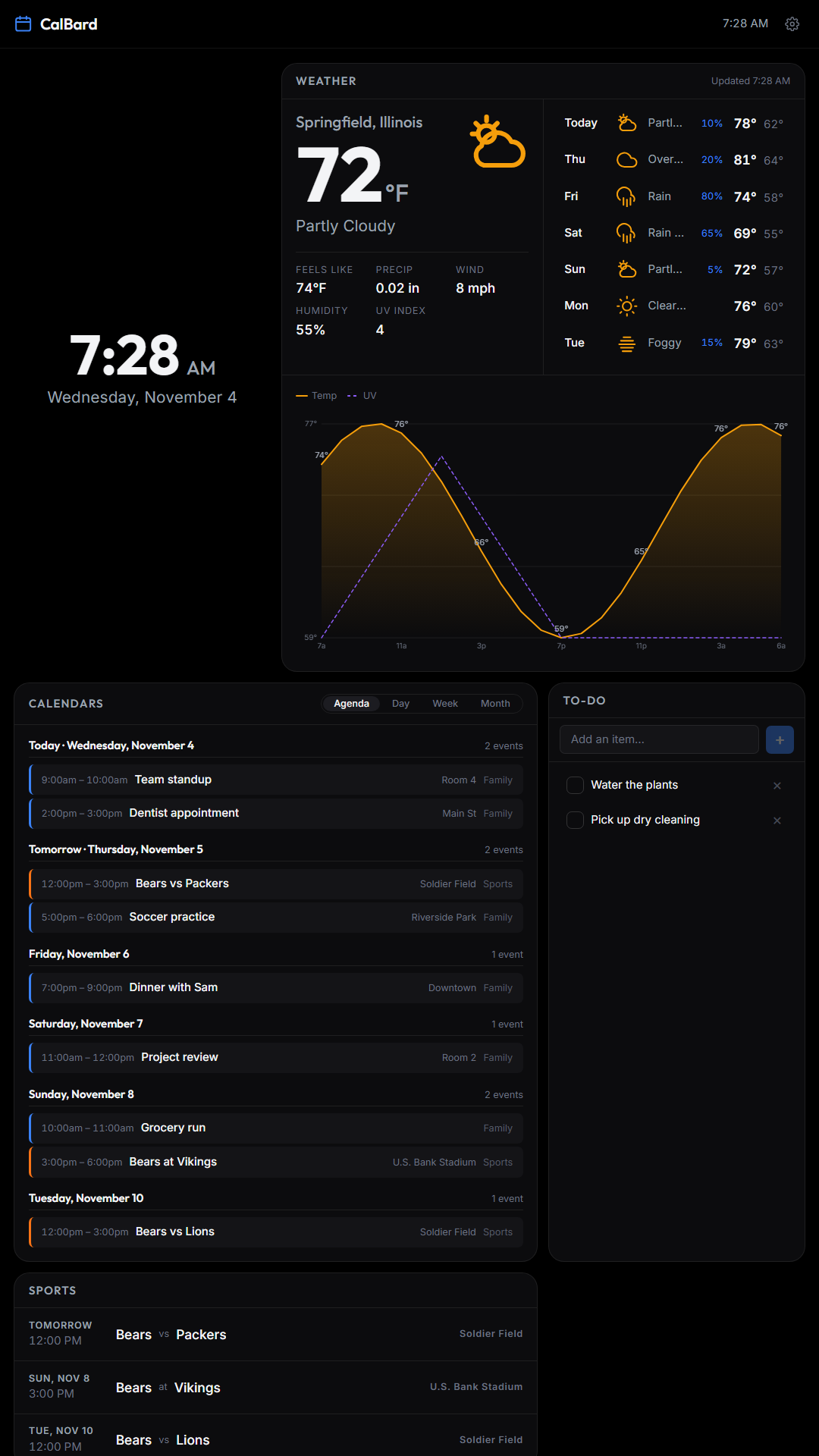
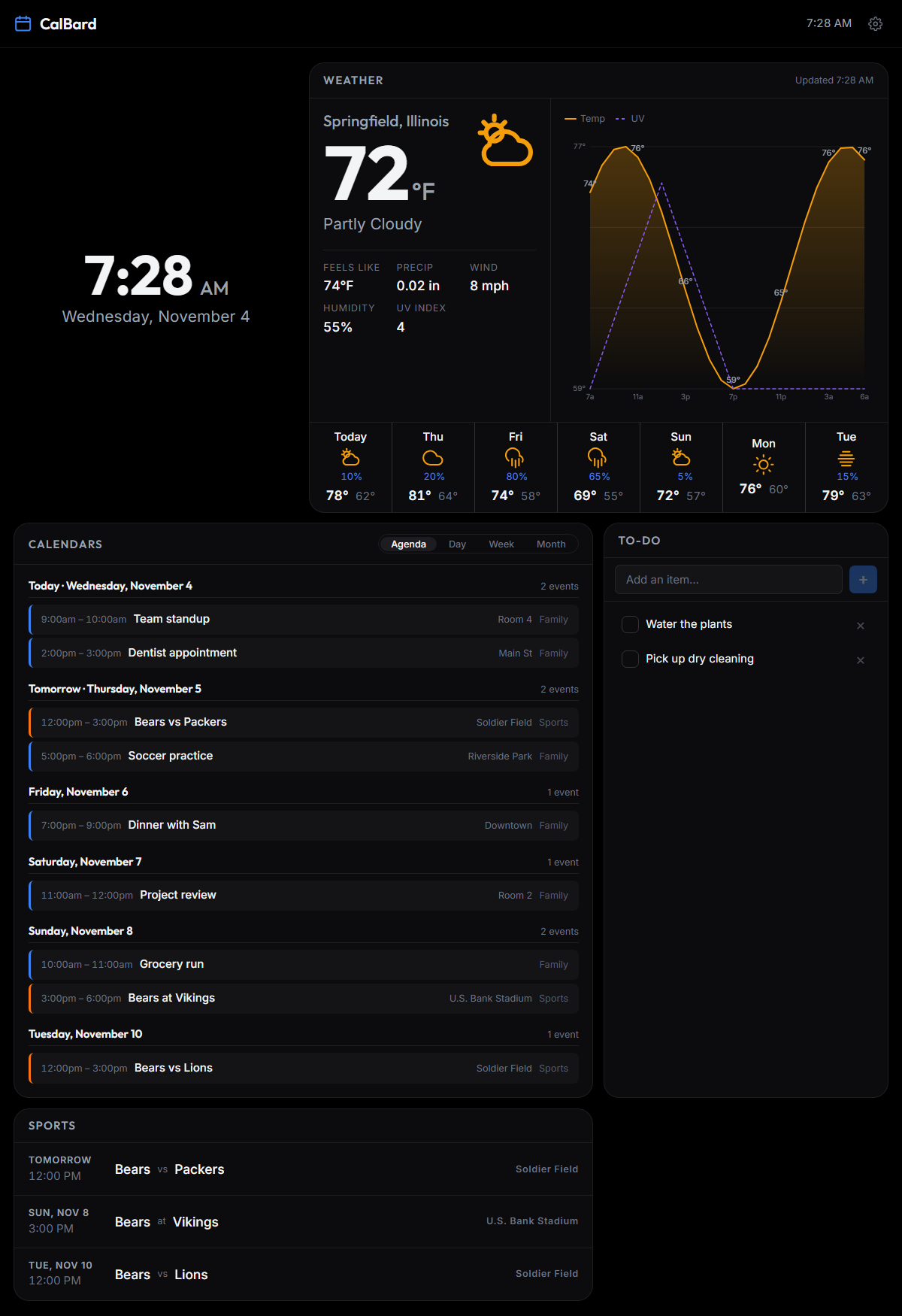
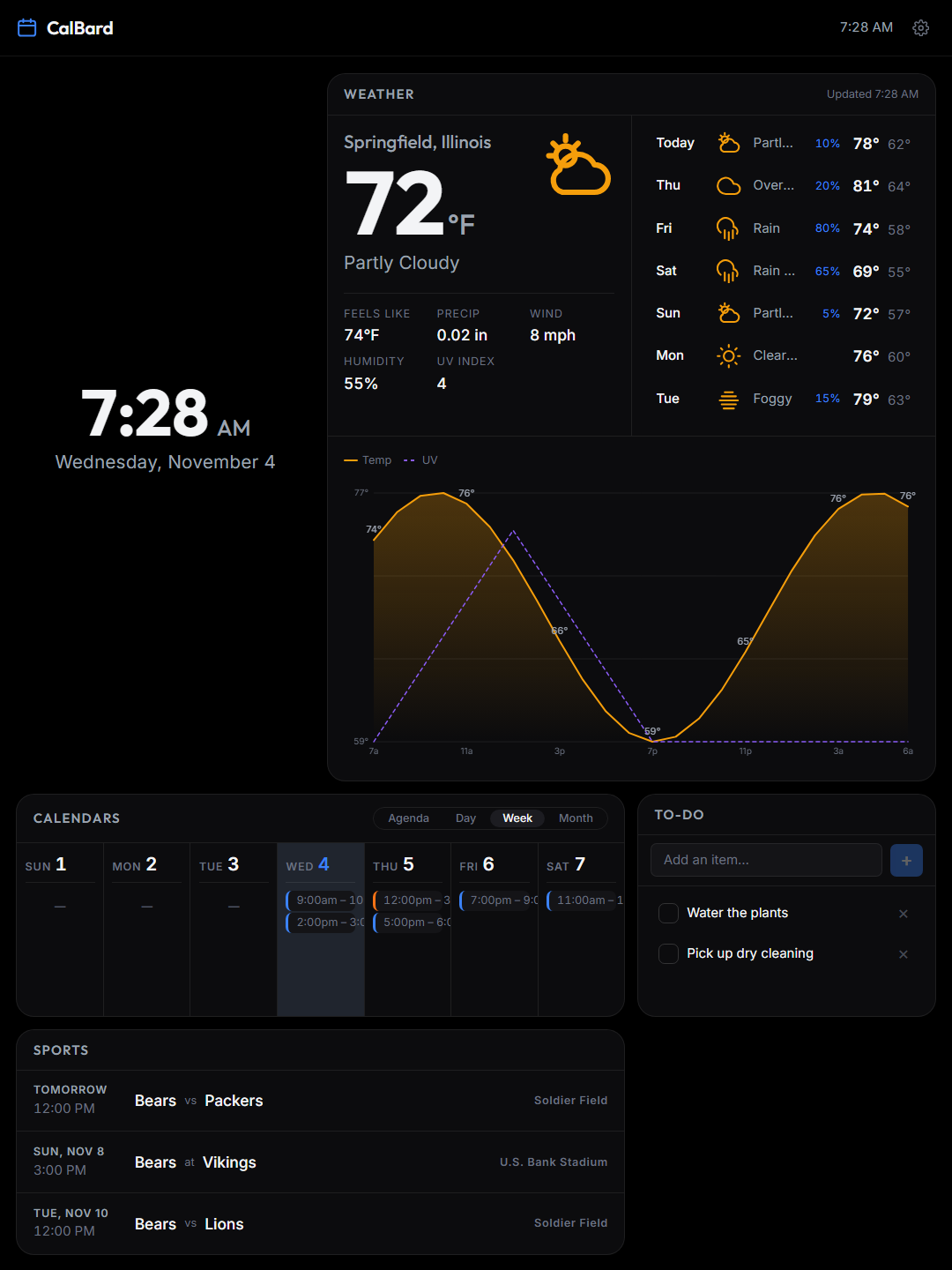
Four layout components cover seven device classes. The class is auto-detected from viewport size, touch capability, and user-agent hints — plus a hint from the Android host, which knows a TV reporting 1920×1080 is not a desktop monitor — and every device gets a manual override in Settings, because auto-detection is a guess and the person holding the remote knows better.
| Class | Detection | Layout characteristics |
|---|---|---|
| TV 720p / 1080p / 4K / 8K | 1280×720 up to 3840×2160, no touch | 10-foot UI, oversized type, D-pad focus rings, safe margins, OLED burn-in protection |
| Tablet large | ≥ 900dp | 3-column grid, touch-first with optional D-pad |
| Tablet small | 600–899dp | 2-column grid, tighter type |
| Phone | < 600dp | Single column, scroll-snap between sections, pager dots |
The weather panel is the one section that re-arranges itself rather than just scaling: it measures its own width and picks one of four tiers — a fixed TV strip, a stacked compact column, a standard split, or a wide layout with the chart beside the current conditions. Container queries would be the clean CSS answer, but the WebView on the minimum supported Android version predates them, so the tier is resolved from a measured attribute instead.
Data sources, no backend
CalBard is client-side only. There is no server to run, no account to create, and no subscription — credentials and preferences live on the device. Every source sits behind a service adapter, so any one of them can be swapped without touching UI code.
| Domain | Source | Auth | Cost |
|---|---|---|---|
| Weather | Open-Meteo | None | Free, no key |
| Weather alerts | NOAA / NWS | None | Free, US only |
| Geocoding | Open-Meteo Geocoding | None | Free |
| Sports | AllGameTimes ICS feeds | None | Free (unofficial) |
| Calendar | ICS / webcal feeds | None | Free |
| Calendar | Google Calendar API v3 | OAuth 2.0 | Free — blocked |
| Radar | RainViewer tiles | None | Free, non-commercial — gated off |
Google's limited-input device flow — the only OAuth flow that works on a TV without a redirect URI — does not permit Calendar scopes. Rather than ship a button that always fails, the Google connect UI is compiled out of v1.1.0; ICS and webcal feeds are the working calendar path, and a PKCE flow with a redirect URI is the fix. Sports has a different problem: the provider sends no CORS headers and answers OPTIONS with 405, so the browser build needs a relay that is not deployed. The section is functional in the Android app and not in the browser.
The Android shell
The native side is intentionally thin. It hosts the WebView and supplies the handful of things a browser cannot do:
- A typed JS↔Kotlin bridge — one narrow interface, satisfied by a browser adapter on the web.
- The bundle is served over HTTPS through
WebViewAssetLoader, notfile://— a real secure context forcrypto.subtleand persistentlocalStorage, without enabling cleartext traffic. - Secure storage — credentials in
EncryptedSharedPreferencesbacked by the Android Keystore. - A Room cache and a WorkManager worker that keeps it warm in the background, skipping the refresh while the dashboard is already on screen.
- Boot receiver — kiosk autostart, so a wall-mounted tablet comes back up on its own after a power cut. Off by default and behind an explicit toggle.
- D-pad key handling — a focus manager with visible focus rings, tested against a real remote.
Offline is a data-level cache, not a service worker. Every section keeps its last good response with a timestamp, and a failed refresh renders stale data with an Offline · N min ago label rather than an empty card. On Android the bundle ships inside the APK, so the app starts offline; on the web a reload while offline fails.
Where it stands
CalBard is a working product, not a sketch. v1.1.0 (versionCode 5, com.calbard) is in Play closed testing: the web app, the Android shell, the TV navigation, release signing, and the signed AAB are all done, and the suite is 228 tests across 25 files. What is left is the last mile of release engineering and the parts of the OAuth story Google's device flow rules out.
| Area | Status |
|---|---|
| Web app, four layouts, settings, offline cache | Complete |
| Android shell, bridge, encrypted storage, background sync | Complete |
| TV / D-pad navigation, burn-in protection | Complete |
| Release signing, signed AAB, Play listing assets | Complete |
| Test suite | 228 tests across 25 files |
| Sports section | Shipping in v1.1.0 |
| Google Calendar sign-in | Blocked — the device flow cannot request Calendar scopes |
| Radar section | Built, flag off |
| On-device verification (real TV, tablet, phone) | Not yet performed |
| 12-tester / 14-day closed test | Not started |
Next: replace the device flow with PKCE so Google Calendar can work, deploy a sports relay so the browser build can reach the schedule provider, settle the RainViewer licensing question or drop the radar section, and verify D-pad focus, burn-in, and WebView performance on real hardware.